
Pricing

Transparent pay-as-you-go pricing for DataForSEO APIs. Find the API you need, understand how it is billed, and view the detailed pricing page for exact rates and parameters.

  • Pay as you go
  • No subscriptions
  • $50 minimum top-up
  • Balance never expires

Pay only for the data you use

With DataForSEO, you pay only for data and individual services you actually use. Our pay-as-you-go pricing model is designed to help our customers minimize costs, while maximizing efficiency. Choose the data you need, scale your usage as your project grows, and keep your costs predictable.

Control your spending

Your DataForSEO Account Dashboard includes a set of cost management tools that will help you monitor your API usage, control budget allocation, set spending limits, and more.
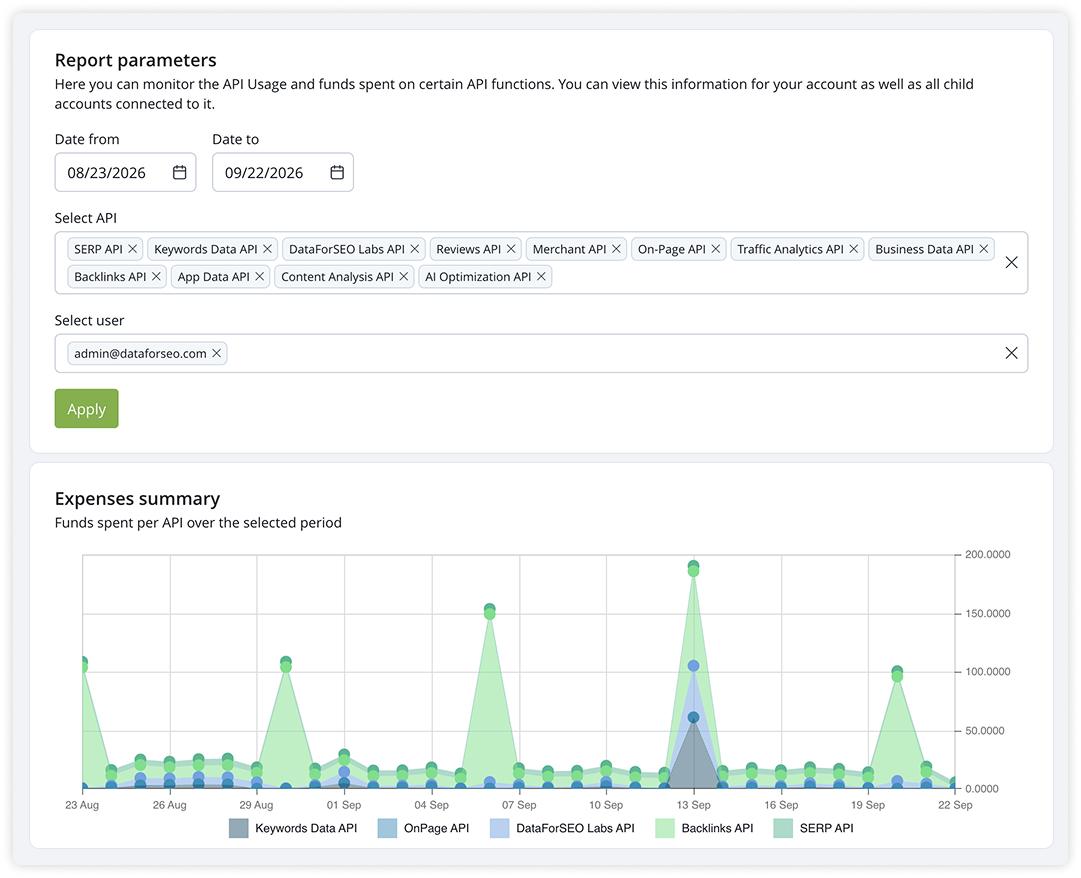
screen

Explore API pricing

Detailed endpoint pricing lives on the next level.

Need an exact cost estimate?

For high volume, multiple APIs, or a custom data workflow, get help estimating your expected spend.

Get a Pricing quote

FAQ

Questions about pricing

How does DataForSEO pay-as-you-go pricing work?

DataForSEO uses a pay-as-you-go pricing model with no subscriptions or recurring fees. Add funds to your account and pay for API services as you use them. Each API has its own rates and billing units, which you can review on the corresponding API pricing pages.

Is there a minimum payment to use DataForSEO APIs?

Yes. The minimum account top-up is $50. This amount is added to your account balance and used to pay for API requests you make. It is not a subscription fee or a monthly payment, and you can use the balance at your own pace since it has no expiration date.

Does my DataForSEO account balance expire at the end of the month?

No. Funds added to your DataForSEO account do not expire. Any unused balance remains available for future API requests.

Can I try DataForSEO APIs for free?

Yes. You can sign up for free and use your $1 trial credit available to new accounts for trying our APIs in the Playground section of your DataForSEO Dashboard, via MCP in your preferred AI tool, or through our ready-made templates and integrations with platforms like n8n, Postman, Google Sheets. You can also test API integration for free using the DataForSEO Sandbox. The Sandbox provides sample responses for testing, while trial credit lets you test paid API functionality.

How can I monitor and limit my API spending?

You can track your API usage and costs in the DataForSEO Account Dashboard. Set daily spending limits for your entire account or individual APIs and endpoints to help manage your budget. You can also configure automatic balance top-ups.

Can I get a custom pricing quote for high-volume API usage?

Yes. If your project involves high request volumes, multiple APIs, or a custom data workflow, contact our support team for help estimating your expected costs and discussing your requirements.

How is the cost of an API request calculated?

The cost depends on the API, endpoint, mode (Standard and Live) and request parameters. Depending on the endpoint, pricing may be based on tasks, returned results, rows, pages, or other usage units. Check the dedicated pricing page of the API you're interested in for exact rates.

What is the difference between Standard and Live mode pricing?

Standard API requests are processed in a queue and generally cost less, but results take longer to become available. Live requests are processed immediately through a single POST request, delivering results faster at a higher cost. Available modes and exact rates vary by API endpoint.

What payment methods does DataForSEO accept?

DataForSEO accepts credit and debit cards, PayPal, and Amazon Pay. For payments of $5,000 or more, bank wire transfers and ACH payments are also available. An invoice is provided for every transaction. If you need an alternative payment method or assistance with a bank transfer, contact our 24/7 support team.

Get a Pricing Quote

    Your Name

    Your Email

    Phone

    Your Subject

    Your Message